Skip to content
CAMPAIGN JOURNAL FOR 5E

Your 5e character sheet. Ready at the table.

Track HP, AC, abilities, saves, spells and equipment in one place. Start locally without an account; campaign and game-master tools are there when you need them.

Free local start without an account. Sign in later only if you want cloud sync.
FOR PLAYERS
Character sheet, spells and dice stay within reach
LOCAL & OFFLINE
Start without an account and sync later if you want
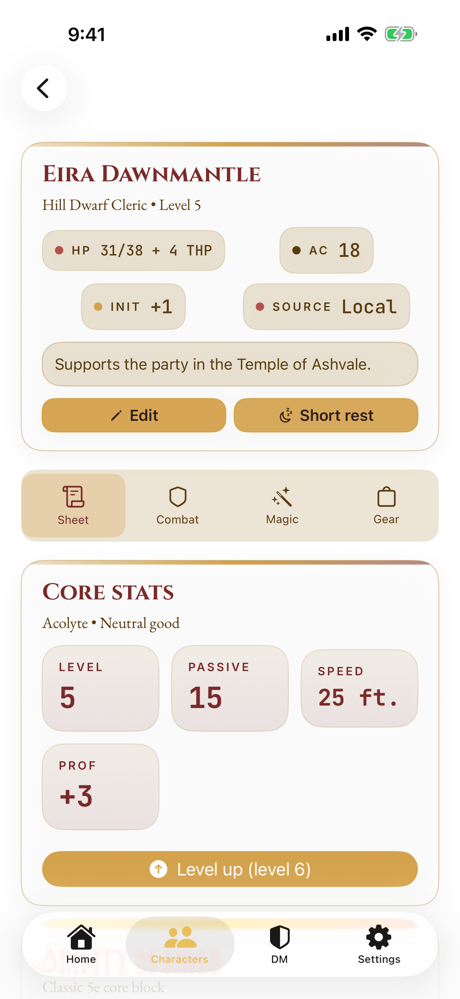
Campaign Journal preview A calm preview of a 5e character sheet with core stats. CAMPAIGN JOURNAL 5e Character Sheet HP, AC, abilities and saves in one place. CHARACTER Eira Dawnmantle AC 18 HP 31 / 38 Open sheet Ready offline
Game night Characters

Start free, upgrade when you need to

A clear plan for your game.

Now available on iPhone and iPad
Free
0 €
  • ✓ Local mode on your device without an account
  • ✓ Use characters, campaigns, dice, and the basic SRD offline
  • ✓ Start locally without an account or cloud sync
Campaign Journal Premium
4,99 € /Month
or €39.99 per year · eligible users can try 7 days free
  • ✓ Unlimited synced characters and campaigns
  • ✓ Cloud sync, game-master tools, and live sessions
  • ✓ AI summaries with a transparent allowance
  • ✓ Ad-free

The free cloud tier includes 3 characters and 1 synced campaign. Locally stored content remains separate and usable directly on the device.

Current iOS app

This is what Campaign Journal looks like in the released app.

Real screenshots from the currently available app.

Character sheet in Campaign Journal on iPhone
Character sheet
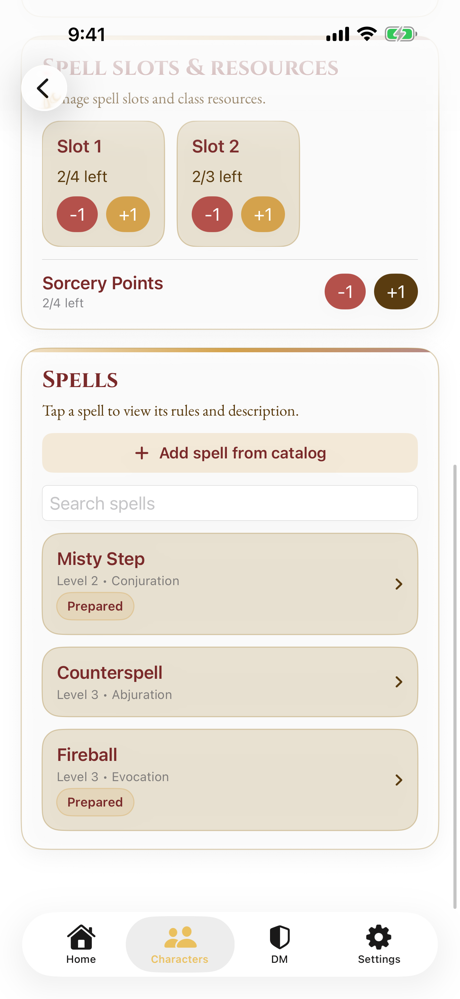
Spell area in Campaign Journal on iPhone
Spells and descriptions
Campaign Journal home screen on iPhone
Home and local mode
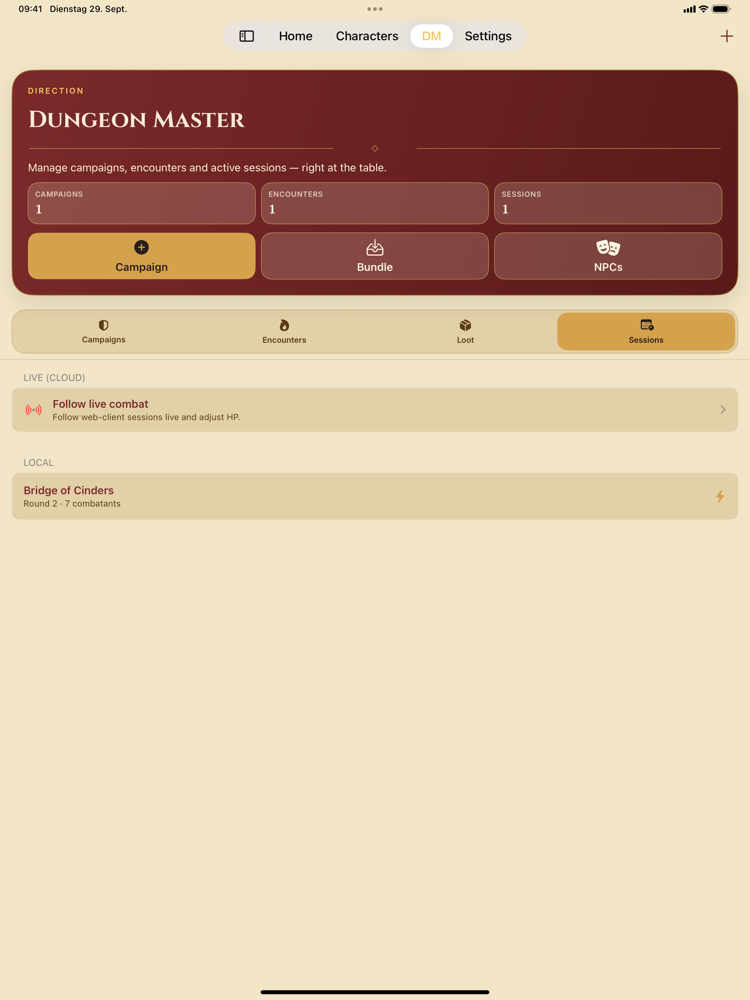
Campaigns and DM workspace

Your campaigns, parties, and game nights live in one place.

Characters and parties

Characters stay close to the session and do not need to be hunted down.

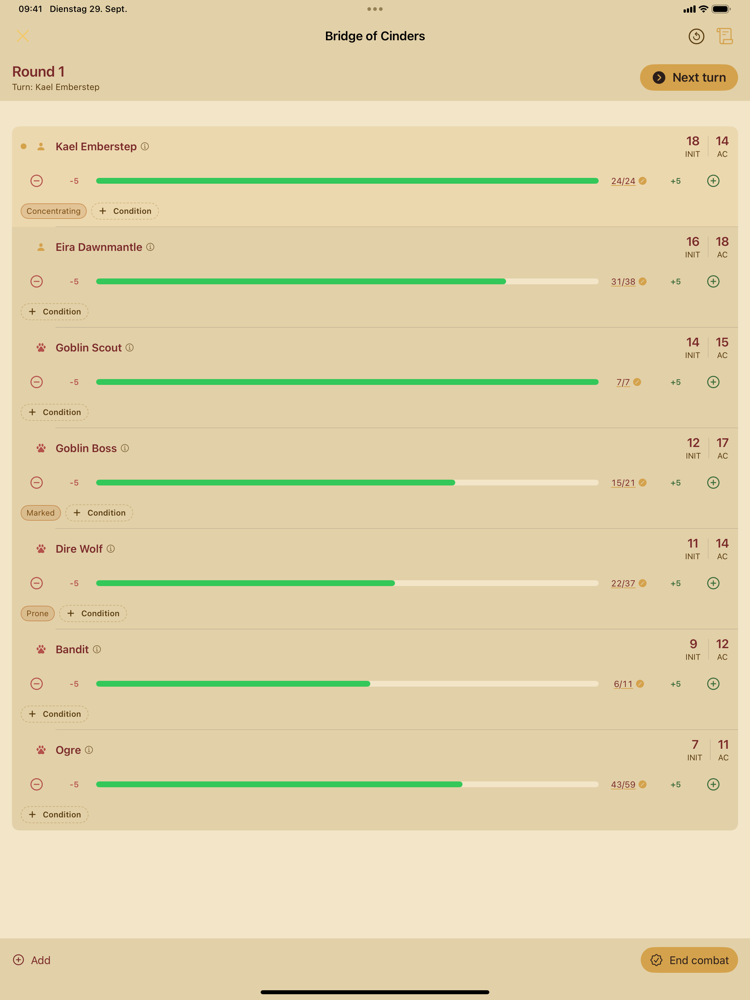
Encounters and initiative

Prepared combats can be started quickly at the table.

Companion app

Important information can be opened on the go or at the table.

Ready for game nights

From prep to the live session, everything stays close together.

First session

First game night in four steps

Start by creating the key characters, putting a party together, and preparing an encounter. Then you can launch the game night directly.

Log in and start
Step 1

Create character

Create the first character and capture the most important stats.

Step 2

Build party

Assign characters to a party so you can select them directly later.

Step 3

Prepare encounter

Note enemies, clues, and everything you need quickly at the table.

Step 4

Start the first game night

Start the night with party, encounter, and initiative in one place.

On your device

Open Campaign Journal like an app.

On supported devices, you can add it to your home screen and return faster.

Install
View
Connection

Prepare your game night

Account, apps and everything at the table.

One account for your sessions
Your access brings campaigns, parties, and companion features together.
At the table or on the go
Campaigns and characters can also be opened from your phone.
App Store
Campaign Journal for iPhone
Important info and game-night support on iOS.
Play Store
Campaign Journal for Android
Important info and game-night companion on Android.

Quick start

Start your next session like this.

1
Take a quick look

See how campaigns, parties, and encounters are structured.

2
Log in

With your account, campaigns, parties, and personal content become available right away.

3
Open campaign

Preparation, encounters, and initiative stay together.

© 2026 senditout.de · v3.28.0